





Ever had that moment when a photo gets edited to the point it barely resembles reality? Whether it’s a friend’s questionable filter choice or an overzealous cropping job, sometimes those edits just don’t cut it. Luckily, if you’re armed with an iPhone, there’s hope for restoring your beloved images to their former glory.
In a world where every pixel counts, learning how to unedit pictures can save your sanity and your social media reputation. With a few simple tricks up your sleeve, you can reclaim those original moments and show the world the unfiltered truth. Get ready to dive into the art of unediting and bring back the charm of your unblemished snapshots. After all, who needs a professional photographer when you’ve got an iPhone and a little know-how?
Understanding Photo Editing on iPhone
Photo editing on iPhone stands as a popular activity among users. Many tools exist to enhance images, yet excessive modifications can lead to dissatisfaction.
Overview of Editing Features
Editing features on iPhone include filters, cropping, brightness adjusting, and color correction. The Photos app offers intuitive controls for each element. Users can apply filters to transform pictures quickly, while cropping allows them to focus on specific areas. Adjusting brightness enhances details, and color correction alters tones to achieve desired effects. These tools aim to empower users, giving them creative freedom over their images.
Common Editing Mistakes
Common mistakes in photo editing often involve overusing filters or applying harsh adjustments. Users sometimes crop too closely, affecting the composition. Excessive brightness or saturation can distort colors, deviating from the original image. Neglecting natural lighting affects the photo’s quality and clarity. Each of these mistakes diminishes the authenticity of a picture. Awareness of these pitfalls promotes better editing practices, helping maintain original integrity.
How to Access the Original Photo
Restoring original photos on an iPhone can seem challenging, but the process is straightforward. Users can follow specific methods to reveal their images before editing.
Using Photos App
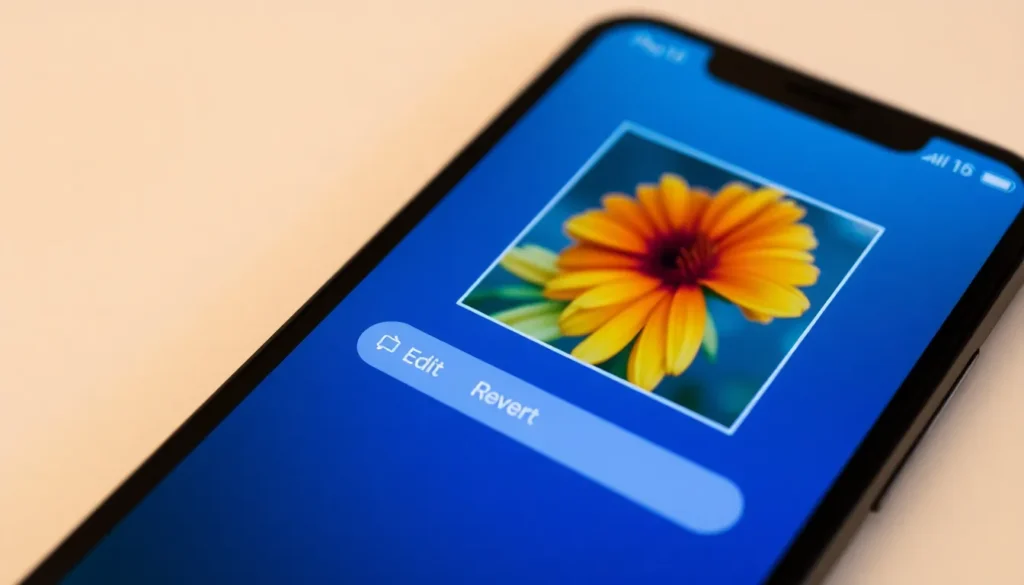
The Photos app provides a built-in feature for accessing original images. Tap on the photo in question, then select “Edit” in the top right corner. Look for the “Revert” option, which allows you to return to the untouched version. This option works if the original image hasn’t been permanently removed or if significant changes, like saving it as a new file, haven’t been made. Users appreciate this feature, as it facilitates quick restoration without additional software.
Exploring Third-Party Apps
Various third-party apps also assist in unediting photos. Apps like Snapseed or Adobe Lightroom can open edited images and apply tools to revert changes. Users can leverage features such as filter removal and color adjustments to restore the image’s original essence. Many of these apps offer tutorials that guide users through complex processes, making unediting achievable. Additionally, users can find apps tailored specifically for unediting, ensuring flexibility in choices available.
Methods to Unedit Pictures
Restoring photos to their original state on an iPhone involves a few straightforward methods. These techniques allow users to reclaim the authentic look of their images.
Reverting to Original
To revert a photo to its original state, users can take advantage of the built-in Photos app. Tapping on a photo opens it for editing. Selecting “Edit” reveals the option to “Revert,” which restores the photo to its untouched version. This feature works only if the photo was edited within the app. Users retain access to all edits in a non-destructive manner, ensuring that no permanent changes happen. The process is simple and user-friendly, making it easy to recover photos without hassle.
Saving a Copy of the Unedited Image
Some prefer saving a copy of the unedited image before applying any edits. Accessing the Photos app allows users to duplicate their original photo. By tapping “Share” and selecting “Duplicate,” a copy appears in the library. This method protects the integrity of the original image while enabling creative freedom. Users can edit the duplicate without concern for losing the unedited version. Maintaining both copies empowers users to experiment with edits while preserving their authentic snapshots.
Tips for Future Editing
Maintaining original images during the editing process gets easier with the right strategies. Users can adopt effective methods to ensure their photos remain authentic.
Avoiding Permanent Changes
Non-destructive editing techniques help preserve the original state of pictures. Using the iPhone’s Photos app, one can revert to the unedited version easily. Each time an edit is applied, the original remains unaffected. Saving a duplicate before any modifications protects the unedited image. This precaution allows exploration of different styles without losing authenticity. Users benefit from storing originals in albums specifically designed for that purpose. Taking these steps ensures that each edited image retains its potential for future adjustments.
Best Practices for iPhone Photography
Excellent photography starts with understanding lighting conditions. Users should always prefer natural light when possible, as it enhances color and texture. Composition techniques like the rule of thirds improve photo appeal. Experimenting with angles creates varied perspectives, adding intrigue to images. Keeping the lens clean prevents unwanted blurriness in pictures. Limit filter usage to maintain an image’s natural beauty. Regularly reviewing and organizing photos in the device helps identify favorites and enhances editing efficiency. Prioritizing these practices leads to stunning images with minimal need for excessive editing.
Restoring original photos on an iPhone can be a game changer for those frustrated with over-edited images. By utilizing the built-in features of the Photos app and exploring third-party applications, users can easily unedit their pictures and bring back authenticity.
Embracing non-destructive editing practices not only preserves the integrity of original images but also enhances future photography endeavors. With a little patience and the right techniques, anyone can achieve stunning results while maintaining the true essence of their snapshots. By prioritizing natural lighting and composition, users can capture beautiful moments without relying heavily on editing.